Bindplane Agent Is Here: Build, Edit, and Understand Pipelines in Plain Language
Pipeline Intelligence leaves the confines of a processor node and becomes a fully fledged AI assistant for your entire telemetry pipeline.

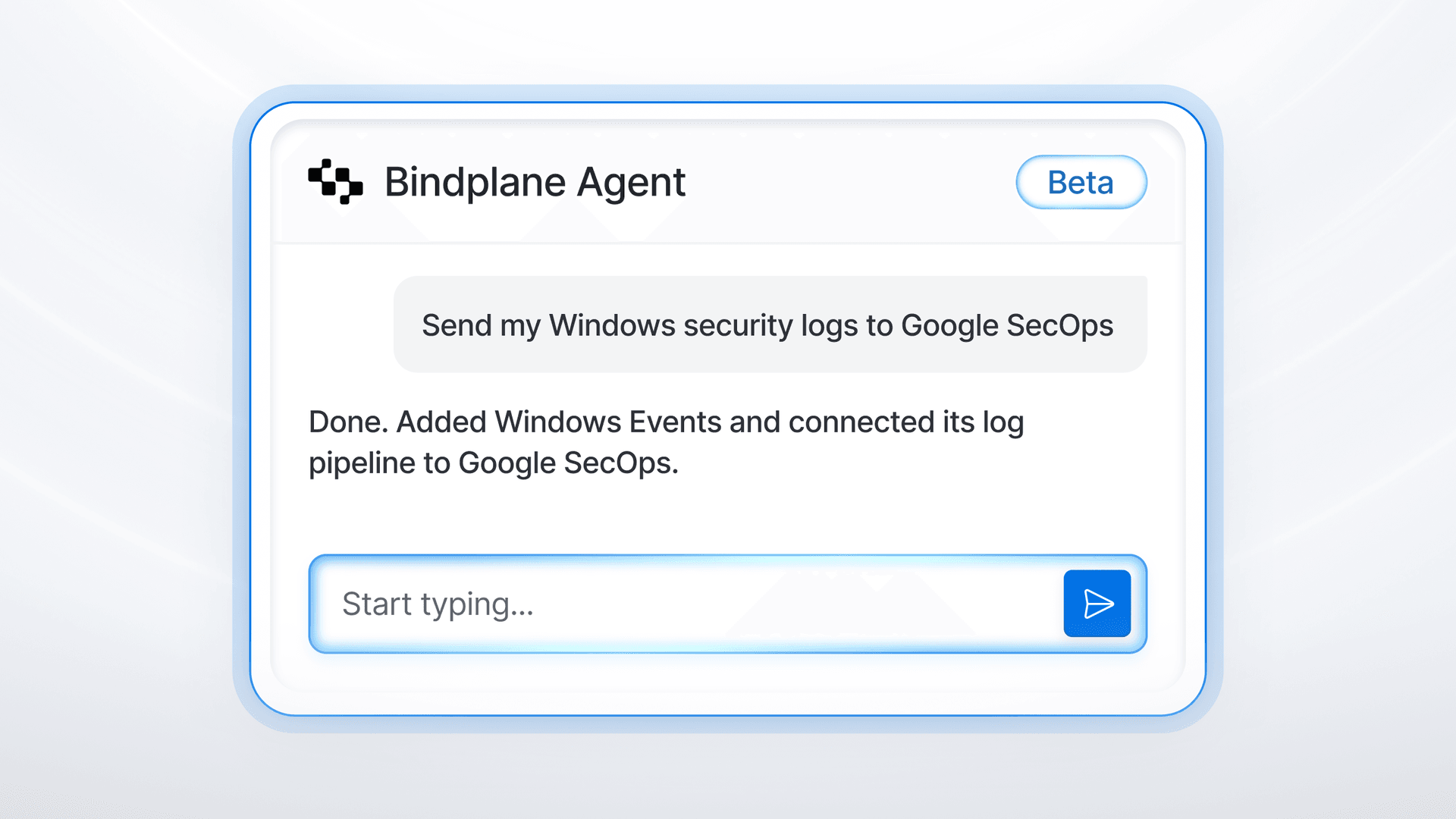
Pipeline Intelligence already recommends processors, reads live telemetry, detects log types, and generates processor bundles from natural language. But most of it lives inside a single processor node. You still have to know which one to open and what to ask for.
This changes today.
Bindplane Agent is your AI assistant inside Bindplane, ready to act on what you describe in plain language. It builds and refines your telemetry pipelines, answers your questions, and makes changes for you, right where you are working. Tell it what the pipeline should do and it builds it, node by node, in the graph in front of you. Ask what a pipeline is doing and it explains, without changing anything.
Bindplane Agent is in private beta. Request access here.
Build and edit by describing the outcome
Open the Bindplane Agent with the button in the corner of the screen, or press t from anywhere. Then describe the change.
- "Collect my Windows security logs and send them to Google SecOps"
- "Add a source that collects logs from a file"
- "Send my Kubernetes logs to Dynatrace"
- "Set the batch size on my batch processor to 200"
Bindplane Agent adds or removes sources, destinations, and processors, connects them, and adjusts settings. Each node appears in the graph as it works, so you see exactly what is being built. Pieces you want to reuse can be saved to your library.

Understand what is already there
Not every pipeline is one you wrote. Bindplane Agent reads the configuration you are looking at and answers questions about it.
- "Which sources send logs, and where do they go?"
- "What fields are in these logs, and what did this processor change?"
- "Walk me through what this processor bundle is doing"
Open a processor node and ask what is in the data before and after. Nothing changes unless you ask for a change.

What's New
- Conversational pipeline building. Describe the source, destination, or processing you need and Bindplane Agent adds it to the graph.
- In-place editing. Tune settings on existing nodes ("set the batch size to 200") without hunting through forms.
- Pipeline explanation. Ask how telemetry moves through a configuration, or what a specific processor did to the data, and get a plain-language answer.
- Chat history. Conversations are saved per user, per project, visible only to you, and deleted automatically after 14 days. With a project data encryption key configured, chat titles and messages are encrypted at rest.
- Dockable window. Move it, resize it, dock it to the side, or keep it floating. Press
tto open it from anywhere.
Why It Matters
Building a pipeline in Bindplane was already faster than hand-writing Collector YAML. But the editor still assumed you knew which source, which processors, in which order, with which settings. That knowledge is the real bottleneck, especially for people who did not build the original pipeline.
- Less time in forms. Most changes are one sentence. Bindplane Agent handles the clicking.
- Lower barrier to entry. New team members can ask what a pipeline does instead of reverse-engineering it node by node.
- Faster edits to pipelines you inherited. Ask what a processor changed, then tell Bindplane Agent what to adjust.
- You stay in control. Every change lands in the graph where you can inspect it before you roll it out to your collectors.
How your data is handled
Bindplane Agent sends only what it needs to answer. That includes configurations you are working in, telemetry samples from the node you are viewing, and the messages in the conversation. Credentials and API keys are masked with a (sensitive) placeholder before anything leaves Bindplane, and PII in telemetry samples (emails, IPs, MAC addresses, card numbers, SSNs, phone numbers) is replaced with [REDACTED]. Users are still advised to use caution when sharing or interacting with sensitive data, as automated masking may not catch every case. Inputs and outputs are never used to train or fine-tune models.
Like every Pipeline Intelligence feature, Bindplane Agent is off by default. Nothing is sent until an org admin enables it. Full details in Data Privacy and Security.
One caveat
Bindplane Agent is designed to produce correct configurations, but it can make mistakes. Review its changes before applying them to production. Check field paths, filter conditions, processor order, and routing, the same way you would review a teammate's pull request.
Try It Today
Bindplane Agent is in private beta, request access here. If Pipeline Intelligence is enabled for your org, open any configuration, click the Bindplane Agent icon in the bottom right corner, and describe what you want the pipeline to do.
Read the Bindplane Agent docs for the full guide. Tell us what you build with it, and what you want it to do next, in the Bindplane Community Slack.
Haven’t tried Bindplane yet? Sign up for free.

 Slack
Slack GitHub
 x.com
x.com LinkedIn